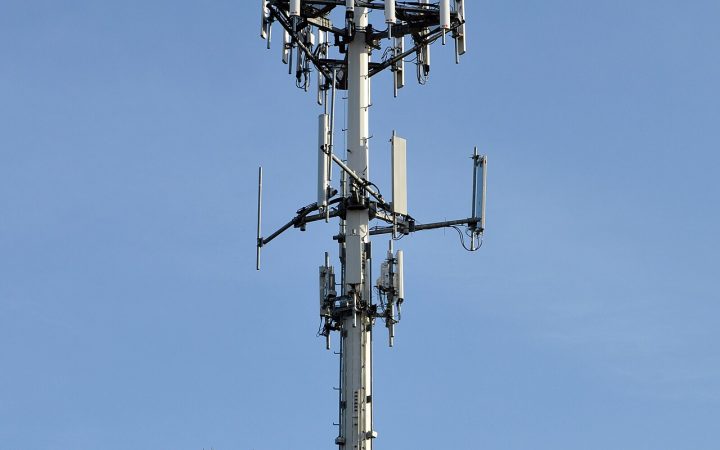

Outside the town centers of Skagit, Whatcom, San Juan and Island counties, internet choices can be frustrating: slow DSL on long copper lines, satellite plans with data caps, trees blocking the sky, or a single provider that doesn’t reach your road. The good news is that options have improved a lot. Here is an honest comparison to help you choose.
Key takeaways
- Always check what is actually available at your address — coverage maps are a starting point, not a guarantee.
- Cellular (4G/5G) home internet is often the best value in fringe areas, especially with an outdoor antenna.
- Low-earth-orbit satellite works almost anywhere with a clear view of the sky; trees are its enemy.
- For businesses, a second connection for failover is cheap insurance.
The options at a glance
| Type | Typical speed | Latency | Best for | Watch out for |
|---|---|---|---|---|
| Fiber | Very high, symmetrical | Very low | Anyone who can get it | Limited rural availability |
| Cable | High download, lower upload | Low | Towns and suburbs | Often doesn’t reach rural roads |
| DSL | Low to moderate; drops with distance | Low | Homes close to the telephone office | Slow on long copper runs |
| Cellular 4G/5G home internet | Moderate to high; varies | Low to moderate | Fringe and rural homes with usable signal | Network congestion, plan priority |
| Fixed wireless (local WISP) | Moderate to high | Low | Homes with line of sight to a provider tower | Trees and terrain |
| Low-earth-orbit satellite | Moderate to high | Low-moderate (roughly 25–60 ms) | Remote properties with open sky | Obstructions, equipment cost |
| Geostationary satellite | Low to moderate | High (often 600 ms+) | Last resort | Data caps, sluggish video calls |
For context, the FCC raised its benchmark for high-speed broadband to 100 Mbps down / 20 Mbps up in 2024. Many rural connections still fall short of that — which is exactly why choosing well matters.
Cellular home internet: the rural game-changer
As cell data plans have evolved, using your cell provider for all your internet needs has become a viable option — especially for homes and businesses in rural or fringe areas. A dedicated cellular router replaces the DSL modem or satellite dish and feeds your Wi-Fi.
What makes it work well:
- Choosing the carrier with the best signal at your address
- An outdoor directional or MIMO antenna on the roof or a mast
- A plan designed for home internet, with clear data and priority terms
- A proper Wi-Fi system behind the router

Satellite: two very different technologies
Geostationary satellites orbit about 22,000 miles up, so every request makes a long round trip. That high latency makes video calls, gaming and VPNs feel sluggish, and many plans have data limits.
Low-earth-orbit (LEO) constellations orbit far lower, delivering much lower latency and good speeds. The catch in the Northwest is trees: the dish needs a wide, clear view of the sky, and a few tall evergreens can cause frequent dropouts. Mounting the dish on a tall pole or roof peak often solves it.
DSL: when it’s still fine — and when it isn’t
DSL speed depends heavily on the length and condition of the copper line between you and the provider’s equipment. Close in, it can be perfectly adequate for email and HD streaming. Several miles out, speeds can drop to a few megabits. If your DSL “randomly locks up” or slows in the rain, the line may be the problem — and a switch may be the most reliable fix.
Fixed wireless from a local provider
Wireless internet service providers (WISPs) beam internet from towers or hilltops to a small antenna on your house. With clear line of sight, it can be fast and stable. Trees growing into the path over the years are the most common cause of degraded service.
How to decide: a simple process
- List what’s available at your exact address from each provider.
- Measure cellular signal outside for each carrier — at ground level and roof height.
- Check the sky view if you are considering LEO satellite.
- Consider your use: video calls and gaming need low latency; large households need capacity.
- Compare total cost — equipment, installation, monthly fees and contract terms.
- Plan your Wi-Fi so the whole property benefits — try the Wi-Fi Planner.
Frequently asked questions
Is 5G home internet available in rural Skagit County?
Availability varies road by road. Many rural addresses can get 4G LTE or 5G home internet from at least one carrier, and an outdoor antenna can turn a marginal signal into a reliable connection. A site survey is the only way to be sure.
Is cellular internet good enough for working from home?
With a good signal and the right plan, yes — latency is usually low enough for video calls and VPNs. Check upload speed and whether the plan deprioritizes home-internet traffic during busy times.
What is the most reliable rural internet option?
Where available, fiber. Otherwise, reliability comes from matching the technology to your site — and from having a backup connection if you depend on the internet for work.
Ready to ditch slow DSL or capped satellite?
We compare every option at your address and install the one that works best.